01
Expensive reprinting costs
QRPorta gives organizations a governed, centrally administered platform for creating, tracking, and maintaining dynamic QR codes - with role-based access, full audit history, and dedicated single-tenant infrastructure.






The problem
Businesses frequently print QR codes on products, packaging, brochures, manuals, labels, posters, and marketing materials.
Whenever information changes, organisations often face:
Expensive reprinting costs
Outdated customer information
Broken or incorrect links
Multiple versions of the same QR code
No visibility into scan activity
Difficult management across departments
QRPorta addresses this with dynamic QR codes: the printed artifact remains fixed, while the destination, tracking, and history behind it remain fully under your organization's control.
How it works
From administrator-led setup to real-time scan redirection — every step stays under your control.
User accounts are created exclusively by an administrator, with a designated scan-redirect domain assigned at setup. There is no open or self-service registration.
Authorized users define a destination URL, assign a name, and configure the visual design — including color, logo, eye style, and layout.
The design is reviewed in a live preview prior to submission. Once issued, the visual design is locked, ensuring the printed artifact cannot be altered after distribution.
Each scan is recorded — including IP address, device type, browser, and timestamp — and the visitor is redirected to the current destination URL in real time.
Product walkthrough
Watch a guided tour of the portal — how you create codes, keep destinations current, and stay in control after print.
01
See how teams generate and organise codes across companies.
02
Change where a printed QR points — without reprinting.
03
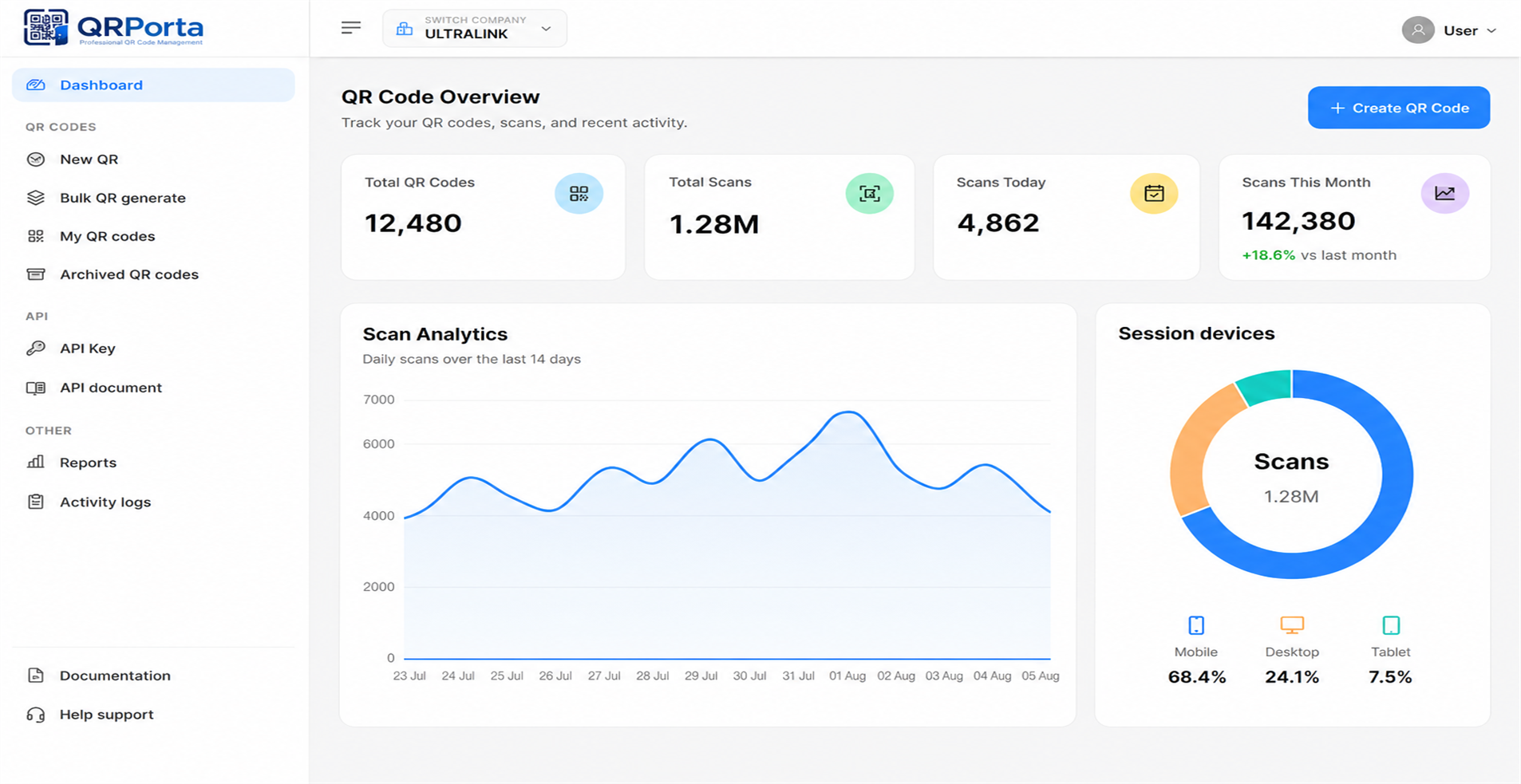
Follow how scan analytics surface usage at a glance.
PLATFORM CAPABILITIES
A complete feature set for organizations managing QR codes at scale.
Update where a code points at any time, without new artwork.
Size, color, eye style, logo, and Simple or Frame layouts.
IP address, device type, browser, and timestamp for every recorded scan.
A permanent, auditable log of every name and URL revision.
Generate a new QR code from an existing design configuration.
SVG, PNG, and JPG output for print, web, and presentation use.
Generate QR codes with no volume limits, across any number of companies, brands, or departments.
Customize the platform to your organization's specific workflows, branding, and reporting requirements.
MULTI-COMPANY MANAGEMENT
Add and manage multiple companies, subsidiaries, or brands under a single master portal - with unlimited QR code creation across all of them.
Unified multi-company portal
Company A
Company B
Company C
Different access levels for:
Track every change made to every QR code. Know:
Deploy QRPorta with your own:
Built with enterprise security in mind:
ENTERPRISE INTEGRATIONS (API)
A QR Code API is available to connect QRPorta with your existing enterprise systems — including ERP, CRM, and other internal software — so QR code creation and scan data can flow directly into the tools you already use.
Connect QR code data with the enterprise systems your organization already relies on.
API access and scope are set up based on each customer's specific integration needs.
Discussed and scoped during onboarding based on the enterprise software already in use at your organization.
POST /v1/qr-codes
Authorization: Bearer ••••••••

{
  "name": "Packaging Batch A12",
  "destination": "https://brand.com/a12",
  "company_id": "co_8f2a",
  "format": "svg",
  "track": true
}

→ 201 Created
→ qr_id: "qr_91kx"
→ scans synced to ERP
ERP · CRM · Custom APIs
Scoped during onboarding
Governance, by design
QRPorta is architected around enterprise governance requirements from the outset.
Every account is created and assigned by an administrator; there is no unmanaged or self-service entry point.
Define roles, assign granular permissions, and determine precisely who may create, edit, or administer QR codes and accounts.
The domains embedded in every QR code are configured and controlled centrally by your administrators.
Modifications to scan-redirect settings require a dedicated security password, separate from standard login credentials.
Assign multiple administrators with differentiated permission levels as your organization scales.
Deployment & infrastructure
QRPorta is hosted on single-tenant private cloud infrastructure, fully managed by our team. Each customer organization operates on a dedicated environment — your data, scan records, and configuration are never commingled with another customer's instance.
Your organization's data resides in its own isolated environment, not a shared multi-tenant database.
Infrastructure, uptime, and maintenance are handled on your behalf, without requiring internal hosting resources.
Combined with admin-only provisioning, your environment has no exposed self-service registration surface.
Scan-redirect domains and administrative settings are configured per organization, not shared across customers.
Use cases
Use case 01
Posters, print advertising, and out-of-home media with updatable, trackable destinations.
Industries
Whether you're managing product packaging, marketing campaigns, operational documents or customer experiences, QRporta keeps every QR code organised, secure and easy to manage.
Machine manuals, maintenance guides, and warranty information.
Patient information, hospital navigation, and medical forms.
Medicine leaflets, safety notices, product authentication, and regulatory documents.
Product information, promotions, and digital catalogues.
Learning materials, campus navigation, and student resources.
Asset tracking, warehouse operations, and shipment documentation.
Citizen services, public information, and digital documentation.
Application-level security
Paired with single-tenant infrastructure, access control is enforced at both the application and hosting layer.
No self-service registration or public entry point exists at the application layer.
Once a QR code is issued, its visual design cannot be modified, preserving the integrity of distributed print materials.
Every name and URL revision is retained and available for review.
Scan-redirect domains are configured and assigned by administrators, not selected by end users.
QRPorta vs. generic QR generators
Free tools create codes. QRPorta manages the entire enterprise lifecycle.
Free generators
QRPorta
Free generators
QRPorta
Free generators
QRPorta
Free generators
QRPorta
Free generators
QRPorta
Free generators
QRPorta
Free generators
QRPorta
Free generators
QRPorta
Free generators
QRPorta
Product tour
QR Code List, Create & Design, Scan Analytics and API Documentation — built for enterprise clarity.
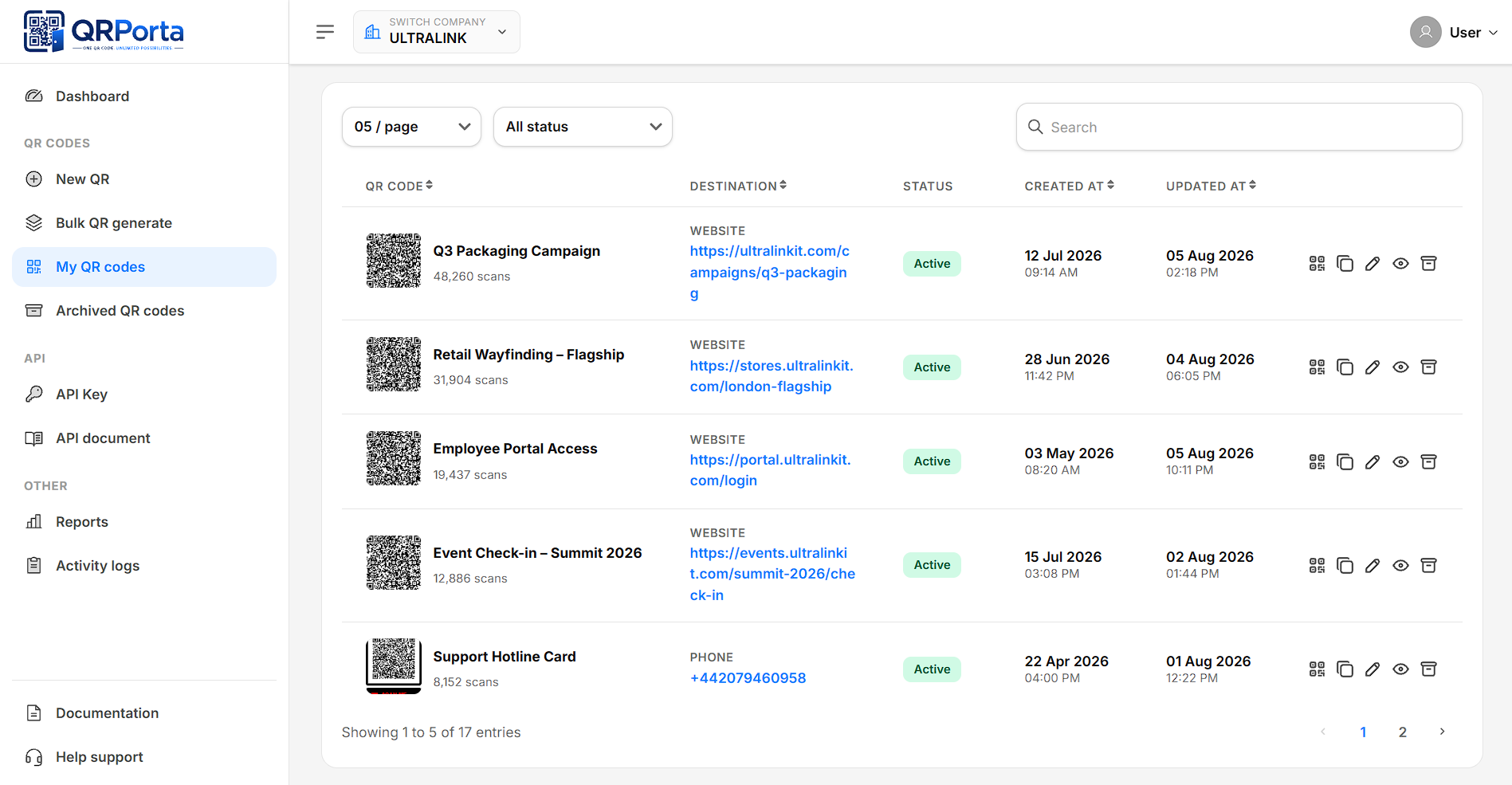
Browse, search, and manage every code across companies.
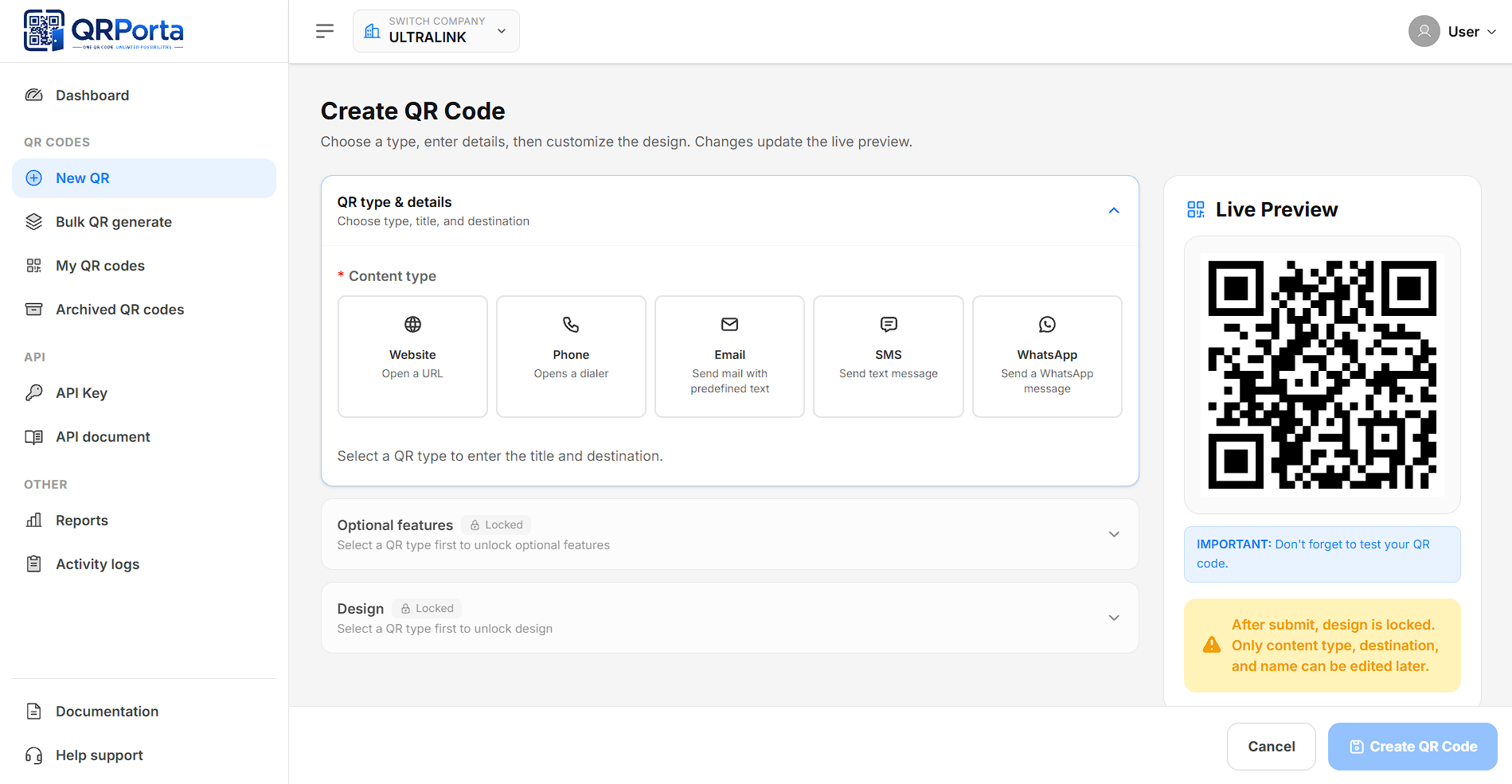
Configure destination, branding, and layout before issuance.
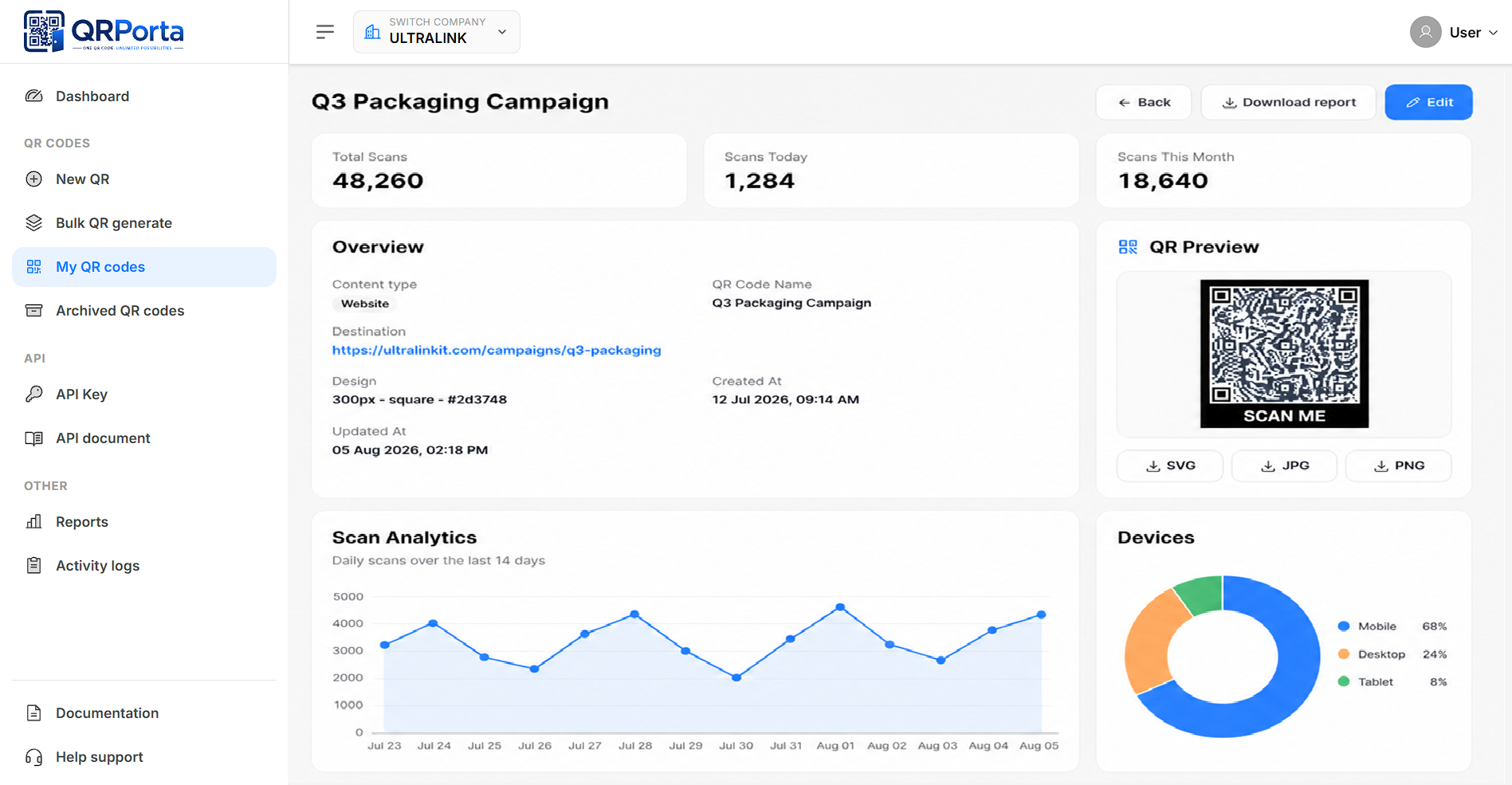
Review IP, device, browser, and timestamp for every scan.
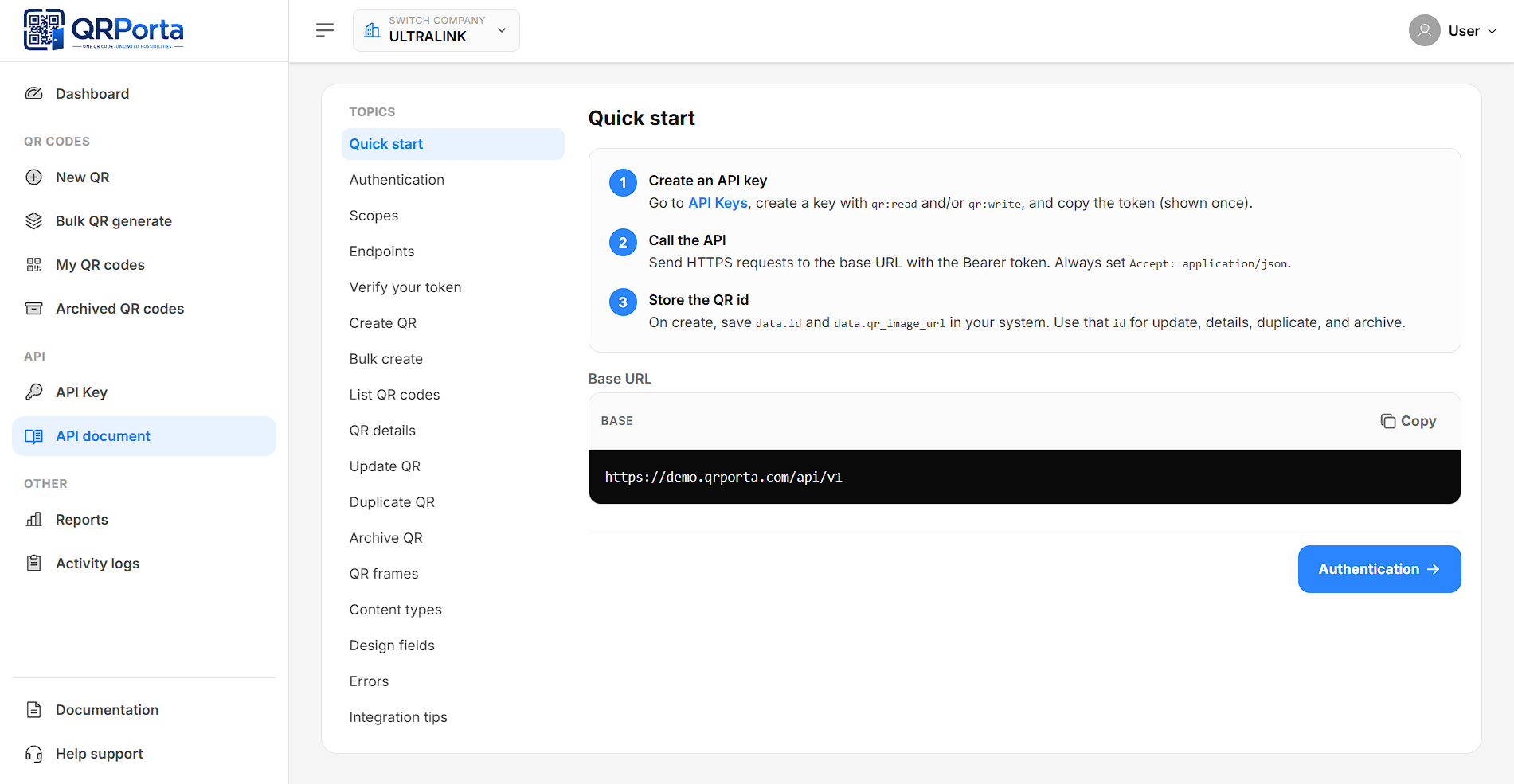
API documentation for ERP, CRM, and other enterprise software.
FAQ
Clear answers on provisioning, hosting, design lock, scan data, multi-company management, and API integrations.
No. QRPorta is provisioned for your organization by our team, and user accounts are subsequently created by your internal administrators. There is no public sign-up.
QRPorta operates on single-tenant private cloud infrastructure, fully managed on your behalf. Each customer organization has a dedicated, isolated environment.
QRPorta currently supports web URL / website QR codes. Wi-Fi, vCard, SMS, and plain-text QR formats are not supported.
No. Design is locked at the point of submission to preserve the integrity of distributed print materials. The destination URL and name remain editable at any time, and duplication is available to create a new design.
SVG, PNG, and JPG.
IP address, device type, browser, browser version, and timestamp for each recorded scan.
Your organization's designated administrators, through a dedicated admin portal with role-based access control.
Yes. QRPorta supports adding multiple companies or business units under a single master portal, each with its own users, QR codes, and scan data, with unlimited QR code creation across all of them.
A QR Code API is available to sync with ERP, CRM, and other enterprise software. Integration scope and access are configured based on each customer's specific requirements during onboarding.
Speak with our team about deploying QRPorta for your marketing, packaging, or event operations.